Explore
Game tiles, recently played items and a starting point for the app’s main sections.
Independent Android guide
Explore the RS9 app for Android, with Fantasy Cricket, Casino, Ludo and Sports in one interface. Preview the app, check APK details, and follow the download, installation and login guide.
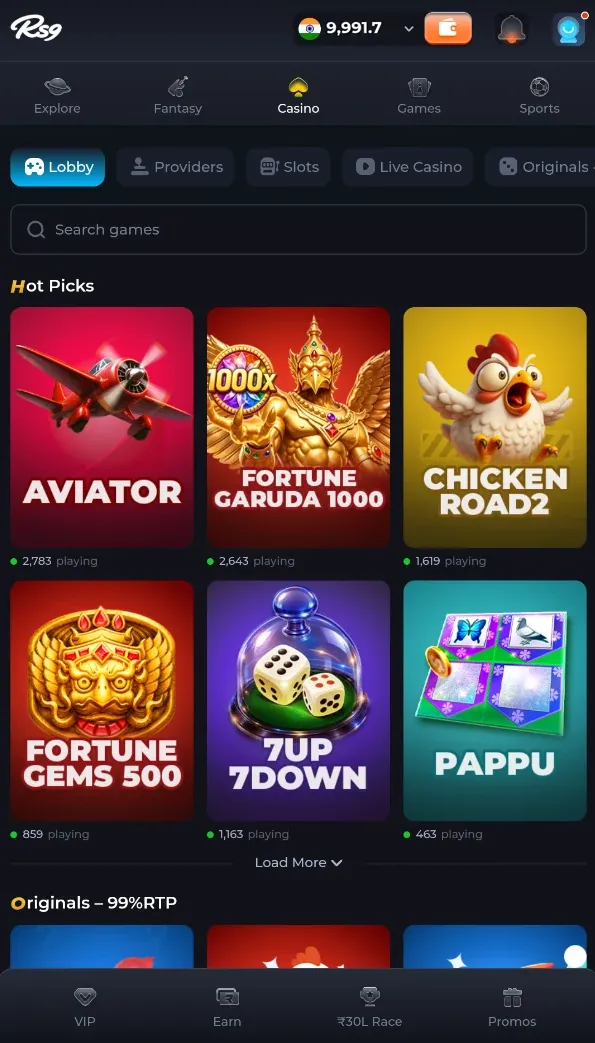
Recognise the interface before you install. The supplied screens show five main sections.
Game tiles, recently played items and a starting point for the app’s main sections.
Cricket, football and kabaddi navigation, match listings and prediction prompts.
A searchable lobby with providers, slots, live casino and originals.
Titles shown include Ludo, Ludo Win, Snakes & Ladders and Fruit Dart.
A separate interface with sports matches and market information.
Extracted from the supplied APK. These details identify this build—not a confirmed latest release.
Follow these 3 steps to download the RS9 APK, install it on your Android phone, and get started with Fantasy Cricket, Casino, Ludo and more.
Save the file from a verified source. Allow extra storage for installation and app data beyond the 3.67 MB download.
If prompted, allow this browser or file manager to install apps.
Follow Android’s prompts and review permissions. Turn off the temporary install permission afterwards.
The supplied login screen asks for your email or mobile number without the country code. Follow the instructions shown by the app.